Why do two podcasters publish an episode at the same minute, yet one shows up on Apple Podcasts an hour later while the other is still missing a day after upload?
The answer is almost never bad luck. It’s usually a feed problem, a directory delay, or confusion about what a distribution platform actually does. Let’s sort out the machinery.
How does podcast distribution work behind the scenes?
You never upload your episode to Apple, Spotify, or Amazon Music directly. That’s the first thing to unlearn.
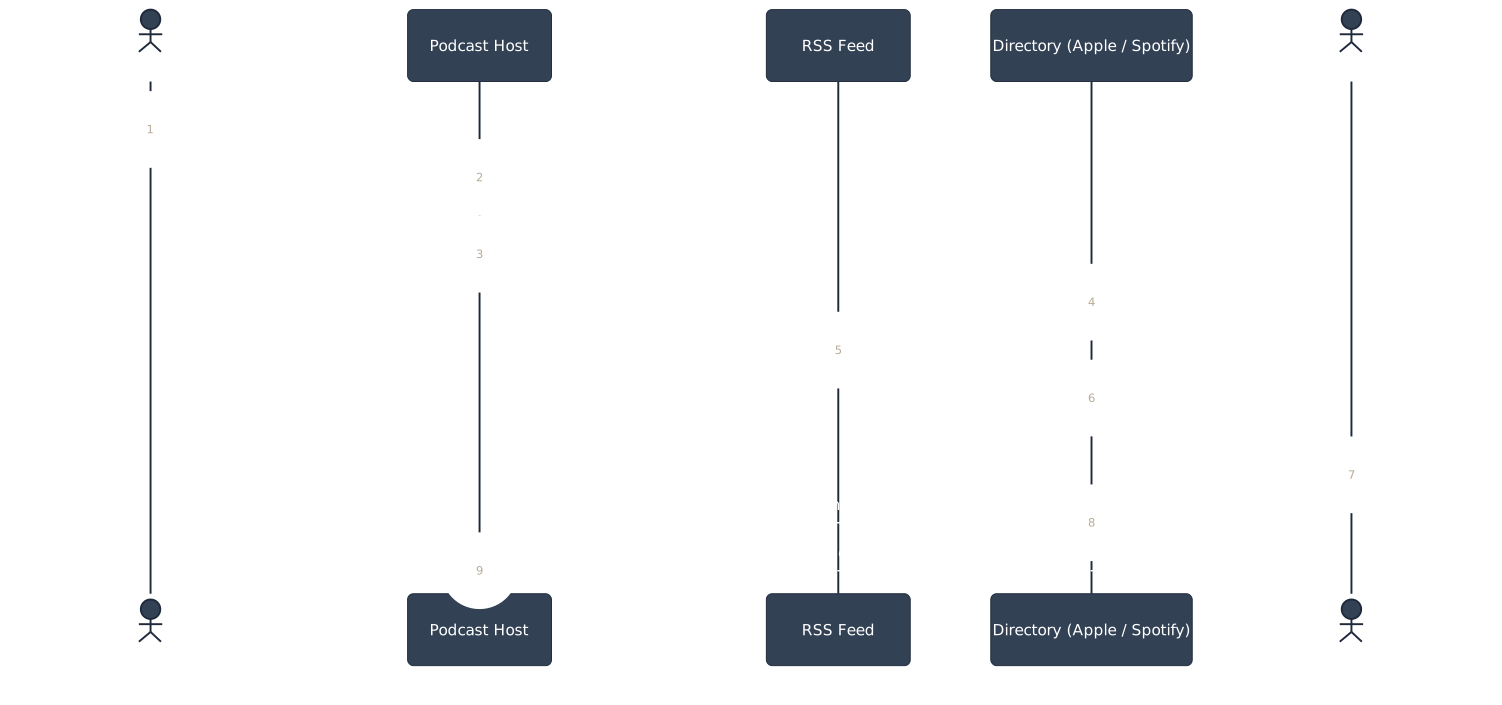
Your podcast host holds the audio file. It also generates something called an RSS feed, a single URL packed with metadata: show title, episode titles, descriptions, audio links, cover art, category tags. Every directory you’re listed on points back to that one feed URL. Wistia’s support documentation explains that to get listed anywhere, you give the directory your RSS feed URL once, and the feed carries all the metadata from there.
Think of the feed as a syndicated newsletter subscription.
You don’t email Apple, Spotify, and Amazon separately every time you publish. You update one source, and each app checks in on its own schedule.
RSS itself is old. The acronym stands for Really Simple Syndication, and the format has been running since the late 1990s. The Podcast Consultant points out that it’s still the backbone of how every major app finds new episodes.
That update cycle is where new creators get tripped up.
Apple doesn’t know episode 47 exists the second you hit publish. Your host updates the feed. Apple’s servers poll the feed on their own timetable and pull in the new entry, typically within minutes to a few hours, according to The Podcast Consultant’s breakdown of the process.
So if you publish at 9am and check Apple Podcasts at 9:05, don’t panic. Give it time.
Here’s the part that causes real damage, not just impatience. If your feed has bad metadata, a broken audio link, or invalid formatting, directories don’t politely ask you to fix it. They either skip the episode or reject the whole feed.
For an independent creator, that’s a wasted episode. For an organization launching a branded series, it’s worse: a credibility gap before anyone even presses play.
This is why distribution and hosting aren’t the same word for the same thing. Your host is the engine room. Directories are storefronts. The feed is the delivery truck running between them on a loop, all day, every day.
One practitioner note worth remembering: don’t trust a directory listing as proof your feed is healthy. A feed can look “live” on Apple while quietly failing to update on Amazon Music because of a formatting quirk only one platform enforces strictly. Check each directory separately after a big publish, not just one of them.
Which technical specifications must your feed meet before submission?
Pick a square image, 3000 by 3000 pixels, and you’ve made the right call. Most new podcasters either skip this step or treat cover art as decoration.
It’s not decoration. It’s a submission requirement.
Every major platform demands a 1:1 aspect ratio for cover art. Digital Polo’s design guide lists the exact numbers: a 1400 by 1400 pixel minimum (that’s Apple’s floor), a 3000 by 3000 recommended size, JPEG or PNG format, RGB color space, and 72 DPI resolution.
Submit art outside those bounds and the directory can reject your whole feed, not just flag the image.
Here’s the trade-off. Going with the bare 1400×1400 minimum saves you a few minutes of resizing now. But it caps your flexibility later.
If Apple or another platform raises its minimum, or if you want to repurpose that art for a YouTube thumbnail or a promotional graphic, a 1400px file starts looking thin and pixelated blown up. The 3000×3000 recommendation exists specifically to future-proof against that, per Digital Polo.
RGB versus other color spaces matters more than it sounds. Design software sometimes defaults to CMYK, the print color model.
Submit CMYK art to a podcast directory and colors shift, sometimes badly, because podcast apps render in RGB. Check your color mode before export, not after a directory bounces your submission back.
Why does any of this matter when four million-plus shows already exist on Spotify alone? Because Digital Polo notes that most of that art looks nearly identical: generic microphone icon, bold sans-serif title, gradient background.
Meeting the technical spec is step one. Standing out inside a feed of lookalikes is a separate, harder problem.
A mistake worth flagging early: don’t design your cover art last, five minutes before submission. Directories reject malformed files and that rejection doesn’t always come with a clear error message. Sort your art, format, and color space before you touch the RSS feed settings, not after.
Why do directory apps display episode notes differently?
Here’s a concrete contrast. Write your episode notes once, and Spotify and Apple will show them to your audience in completely different ways.
On Spotify, your Notes field becomes the Episode Description, visible right on the episode page, no subscription required. Wistia’s distribution guide confirms that Spotify populates the field directly under Episode Description.
Apple works differently. Your notes stay hidden from a browsing listener.
They only appear once someone subscribes to your show and starts playing the episode inside the mobile app, per the same Wistia documentation.
That single difference changes how you should write.
If you lean on your episode notes to pitch a sponsor, tease the next episode, or drop a link someone needs right now, Spotify listeners see it immediately. Apple listeners won’t, unless they’ve already committed to subscribing and pressing play.
This is the quiet trap in podcast distribution. Your RSS feed is one document. But it’s not rendered the same way twice.
Each app reads the same fields and makes its own design choice about what to surface and when. Nobody coordinates that between platforms, and nobody promises they’ll.
Write your call-to-action assuming every listener sees it the second they land on the episode, and you’ll under-serve Apple’s audience, who may never see it unless they’ve already subscribed.
Write assuming nobody sees it until deep engagement, and you’ll waste Spotify’s front-door visibility.
The practical fix: put your most important information in the first two sentences of your notes field, regardless of platform. Pacific Content’s piece on show descriptions frames this as a long-running craft question among producers, not a solved problem with one right answer.
If a sentence doesn’t earn its place in the opening lines, it probably belongs further down, not deleted, just repositioned for the platforms where notes surface late.
Which specification differences trip up creators most often?
| Element | Common mistake | What platforms actually require |
|---|---|---|
| Cover art ratio | Rectangular or non-square upload | Square, 1:1 ratio, all major platforms |
| Cover art size | Submitting at 1400×1400 only | 3000×3000 recommended for future-proofing |
| Color space | Exporting in CMYK from design software | RGB required |
| File format | Uploading unsupported formats | JPEG or PNG only |
| Episode notes visibility | Assuming all apps show notes upfront | Spotify shows immediately; Apple only after subscribe and play |
| Feed update timing | Expecting instant appearance everywhere | Minutes to a few hours per directory, polled independently |
Source: Digital Polo, Wistia, The Podcast Consultant
What does the publish-to-listener path actually look like?
Break it into the order things really happen, not the order most tutorials describe them.
- You upload an audio file and episode details to your podcast host.
- Your host updates your show’s RSS feed with the new episode’s metadata and audio link.
- Directories that already have your feed URL on file poll that feed on their own schedule.
- Each directory pulls the new entry in, typically within minutes to a few hours, per The Podcast Consultant.
- Each app renders your metadata using its own display rules, which is why notes, art, and even episode order can look different platform to platform.
- A listener’s app checks for new episodes from shows they follow and surfaces your update.
Nobody in that chain uploads your file a second time. If it’s missing somewhere, the feed or the metadata is almost always the cause, not the directory being slow for no reason.
Spotify for Creators: best for zero-cost distribution directly into Spotify
Spotify for Creators gets you listed across every major app without paying anything, and that’s the appeal for a creator starting out with no budget.
That’s a meaningful number for discovery, if your goal is visibility inside Spotify’s ecosystem specifically.
What if you already have a host you like and don’t want to migrate everything? You don’t have to.
Spotify’s documentation notes that podcasters who keep their existing host can still use the Spotify for Creators mobile app and its growth tools to reach Spotify’s audience, without switching hosting providers.
That’s a meaningful distinction. Hosting and the Spotify-specific growth layer are separable.
Here’s the implication worth sitting with. Free hosting sounds like an easy yes, but it’s not free of trade-offs, it’s free of cost.
RSS.com’s comparison of hosting platforms lists Spotify for Creators as best suited to hobbyists testing the waters, with unlimited storage but no dedicated support, and content that can be removed. Compare that against RSS.com’s own paid tier, starting at $15 a month when billed annually, which includes programmatic ads, AI transcripts, and audio-to-video conversion.
Zero cost makes sense for a first show, a pilot series, or a project with no advertising ambitions yet.
It makes less sense for an organization planning to monetize quickly or one that needs guaranteed support if something breaks during a launch window. Weigh what you’re trading for the free price before you commit a flagship series to it.
What a paid host adds that a free platform may not
A $15-a-month tier, per RSS.com’s published pricing, typically bundles distribution to Spotify, Apple, Amazon Music, and YouTube alongside features free tiers skip: real analytics, a dedicated podcast website, and support for running more than one show from a single account.
When free hosting is the sounder choice
If you’re testing a format, deciding whether a weekly show is sustainable before you invest in production, free distribution removes the financial risk while you find out.
FAQ
What’s the difference between a podcast host and a distribution platform?
A host stores your audio files and generates your RSS feed. A distribution platform or directory, like Spotify or Apple Podcasts, displays your show to listeners by pulling from that feed.
You need a host before you need directories; the feed is what connects the two.
How long does it take for a new episode to appear on Apple Podcasts or Spotify?
Typically minutes to a few hours after your host updates the feed, according to The Podcast Consultant. It’s not instant because directories poll feeds on their own schedule rather than receiving a push notification the second you publish.
If a full day passes with no sign of the episode, check your feed for errors before assuming it’s still processing.
Why does my episode look different on Spotify than on Apple Podcasts?
Each app interprets your RSS feed independently and chooses what to display and when. Wistia’s documentation confirms Spotify shows your episode notes immediately as the Episode Description, while Apple only reveals notes to listeners who’ve subscribed and started playing the episode.
This is normal behavior, not a sign something broke.
Do I need to submit my podcast to every directory separately?
Yes, each directory needs your RSS feed URL submitted once through its own creator dashboard. After that initial submission, the directory polls your feed automatically for new episodes; you don’t resubmit for every new release, per Wistia’s distribution guide.
Skipping a directory’s initial submission is the most common reason a show is live everywhere except one app.
Misconfigured feeds don’t announce themselves. They just quietly keep your show off the one directory your audience actually uses, and you won’t find out until a listener tells you, or worse, until they don’t bother telling you at all.
If you’d rather not comb through RSS settings and cover art specs alone, Big Pond Podcasts can walk through your feed setup and distribution checklist with you. Reach out to our team and let’s get your show properly listed before your next publish date, not after.
About the author
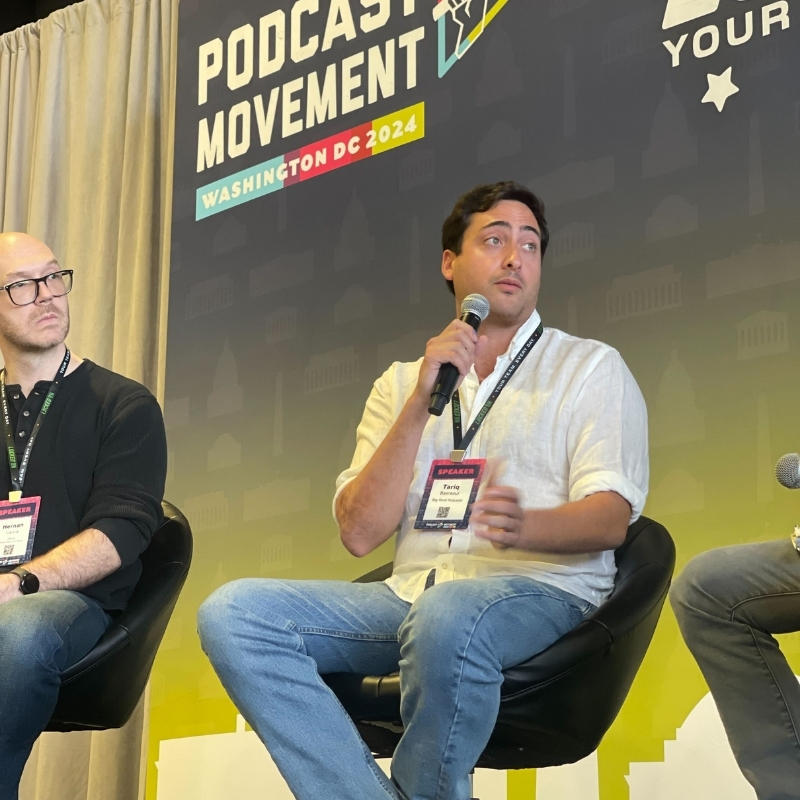
Tariq Basraoui
CEO
Tariq O’Keefe Basraoui, Co-Founder of Big Pond Podcasts, is a seasoned digital marketer and community builder with a track record of success at platforms like TikTok and Zencastr. Known for launching Zencastr’s Creator Network to over 15,000 members in 18 months, his expertise lies in growing user bases and enhancing brand engagement.
His strategic approach to growth and community engagement has established him as a leader in creating some of the fastest-growing media networks in podcasting.
