
Is your podcasting “stack” a messy collection of free trials and half-used tools? You aren’t alone. Many creators start by patching together a workflow from a dozen different services, wasting more time on administration than on creating. The best podcast creator tools aren’t just about recording audio; they form an integrated system for editing, hosting, distribution, and growth. For creators serious about growth, the right platform provides a centralized hub to manage content, analyze performance with meaningful data, and ultimately, monetize their work by connecting with advertisers and sponsors. To truly automate production or grow revenue, explore these podcast management tools.
- For all-in-one simplicity and powerful editing, choose Descript. Its transcription-based editing is a massive time-saver for both new and experienced podcasters who want a fast, intuitive workflow from recording to final mix.
- For a free, robust hosting and analytics solution, choose Zencastr. It offers impressive features for creators on a budget, including high-quality remote recording and reliable hosting, making it a perfect starting point.
- For creators focused on monetization and community, choose Riverside. Its superior recording quality, combined with integrated audience engagement and clipping tools, makes it ideal for podcasters aiming to build a brand and generate revenue directly from their content.
Top Podcast Creator Tools Compared
| Buzzsprout | Anchor | Libsyn | Podbean | |
|---|---|---|---|---|
| Key Features | Advanced Analytics, Monetization, Magic Sound | Unlimited Free Hosting, Recording Tools, Distribution | Professional Hosting, Custom Apps, Extensive APIs | Monetization, Live Streaming, Podcast Website |
| Pricing Model | Tiered (starting Free, paid plans) | Completely Free | Tiered (paid plans only) | Tiered (starting Free, paid plans) |
| Ease of Use | Very High | Very High | Moderate | High |
| Target Audience | Beginners to Pros, Monetization Focus | New Podcasters, Hobbyists | Established Podcasters, Businesses | All Levels, Monetization, Live Streaming |
| Monetization | Yes (dynamic ads, sponsorships) | Yes (Spotify Audience Network) | Yes (various integrations) | Yes (Patron Program, Ads) |
Choosing a platform is a commitment. To make it easier, I’ve broken down the top contenders based on what they do best and where they fall short for the typical podcaster.
| Descript | Zencastr | Riverside | |
|---|---|---|---|
| Use Case | All-in-one recording, transcription, and video/audio editing. | High-quality remote audio/video recording and hosting. | Studio-quality remote recording with a focus on video and audience engagement. |
| Pricing | Free tier available. Paid plans from ~$15/mo. | Free tier with generous recording hours. Paid plans from ~$20/mo for more features. | Free tier available. Paid plans from ~$19/mo, scaling with features. |
| Best Feature | Overdub & Studio Sound. AI-powered voice cloning and background noise removal are top-tier. | Single-track, high-quality WAV files for each guest. Rock-solid audio reliability. | Uncompressed 4K video recording locally on each participant’s device. |
| Watch Out For | Can be resource-intensive on older computers. Video editing features are good but not as deep as dedicated software. | The free plan has Zencastr branding. Advanced editing features are minimal compared to Descript. | The user interface can feel more complex for beginners. Higher-end plans are pricey. |
Descript: The Editor’s Choice
Descript changed how podcasters approach editing. Instead of wrestling with complex timelines and waveforms, you edit audio and video by simply editing a text document. This single feature has saved creators countless hours. When I first launched a show, my team spent days cleaning up transcripts and audio. Descript turned that into a two-hour job.
Its workflow is simple: record directly in Descript or upload your files, let it transcribe (with impressive accuracy), and then you can cut, copy, paste, and delete words or phrases from the transcript to edit the final media. It’s remarkably intuitive. Removing filler words like “um” and “uh” can be done with a single click.
Strengths
Descript’s killer features are Studio Sound and Overdub. Studio Sound processes your audio to remove background noise and echo, making a poorly recorded track sound like it was captured in a professional studio. It’s almost magical. Overdub is its AI voice cloning feature. After training it on your voice, you can type new words and have it generate audio in your own voice, perfect for correcting small errors without re-recording entire sections. Listener expectations for high production quality keep rising, and tools like Studio Sound directly address this.
Weaknesses
The power of Descript comes at a cost to your computer’s resources. Processing large files, especially video, can be slow and demanding on machines with less RAM or older processors. While its video editing capabilities are solid for most podcasting needs (like picture-in-picture interviews), it doesn’t replace a full-featured video editor like Adobe Premiere Pro for complex visual work. Finally, while Overdub is powerful, it can sometimes sound slightly robotic if overused, breaking the authenticity hosts strive for.
Zencastr: The Remote Recording Standard
Before Zencastr, recording high-quality remote interviews was a nightmare. You’d rely on VoIP software that compressed audio into oblivion. Zencastr solved this by recording a separate, high-quality audio track locally on each participant’s computer and then uploading it to the cloud. My own experience launching the Zencastr Creator Network, which grew to over 15,000 members, showed me firsthand how critical reliable remote recording is for creators.
It’s built for podcasters first. The interface is clean and straightforward. You create an episode, send a link to your guests, and they can join from their browser without installing any software. The platform handles the separate track recording automatically.
Strengths
The primary strength of Zencastr is its reliability and focus on audio purity. It delivers uncompressed WAV files for each speaker, giving your audio engineer maximum flexibility in post-production. Its free tier is also incredibly generous, offering high-quality MP3 recording for up to two guests, which is more than enough for many podcasters to get started. As a company, we also focus on empowering creators, which is why we help you monetize and grow your podcasts. Zencastr aligns with that by removing a major technical and financial barrier.
Weaknesses
While Zencastr has added video recording and post-production tools, its core strength remains audio. Its editing and mixing capabilities are not as advanced as Descript’s. The platform is designed to be the start of your workflow, not the end. You will almost certainly export your Zencastr files to another program for final editing and mixing. For brands wanting a polished final product, this extra step is a necessity. For a more detailed look at the final stages, see our guide on podcast production management.
The best tool isn’t the one with the most features. It’s the one that removes the most friction from your specific creative process.
Riverside: The Video Podcaster’s Pick
Riverside took the Zencastr model of local recording and applied it aggressively to video. While other platforms were still struggling with stable 720p, Riverside pushed for locally recorded, uncompressed 4K video for every participant. This makes it the go-to choice for creators who see video as co-equal with their audio, a trend that is dominating podcast growth. a significant portion of podcast listening now happens on platforms like YouTube where video is primary.
Beyond just quality, Riverside has built an ecosystem around the recording. It includes a media board for live-editing with sound effects, “magic clips” for easily creating social media content, and robust livestreaming capabilities to platforms like YouTube and Facebook. It’s a tool built not just for recording, but for performance and promotion.
Strengths
Video quality is Riverside’s undeniable advantage. If your podcast is also a video show destined for YouTube, nothing else in this category consistently delivers better raw footage. The platform’s ability to capture separate audio and video tracks for up to 8 participants is also impressive. Its mobile app is surprisingly robust, allowing guests to join from their phones and still deliver high-quality, locally recorded video. This flexibility is crucial for booking busy guests.
Weaknesses
With great power comes a slightly steeper learning curve. The interface, while clean, has more options and settings than its competitors, which can be intimidating for a true beginner. And while its editing features are improving, they still revolve more around clip creation and basic sequencing than the deep, transcript-based editing of Descript. Finally, achieving that pristine 4K video quality depends heavily on your guest having a good camera and sufficient local storage, which isn’t always a guarantee.
Use-Case Verdicts: Which Tool Is Right For You?
Let’s cut to the chase. Your time is valuable. Here’s who should use which tool.
Choose Descript if…
You prioritize workflow speed and efficiency above all else. If you are a solo creator or small team that handles both audio and video production, the ability to edit media like a document will fundamentally change your process. It’s also the best choice for anyone who produces a lot of content and needs to correct mistakes or add pickups without constant re-recording. The AI-powered features are not gimmicks; they are massive time-savers.
Choose Zencastr if…
You are starting a new podcast on a budget or your primary focus is conducting high-quality, audio-only interviews. Its free plan is the most capable on the market for pure remote recording. It is the definition of a tool that does one thing exceptionally well. For podcasters who already have a preferred Digital Audio Workstation (DAW) like Pro Tools or Audition and just need reliable source tracks, Zencastr is the perfect, no-fuss front end.
Choose Riverside if…
Video is a critical part of your podcast strategy. If you publish full episodes on YouTube, rely on short-form video clips for social media promotion, or host live-streamed events, Riverside is built for you. The investment in superior video quality and community engagement features pays off for creators focused on building a visual brand. It’s the platform for those who aren’t just making a podcast, but producing a show. This focus on brand building is key, and we help over 1,300 podcasts with that very goal.
Ultimately, selecting from the best podcast creator tools comes down to your primary format and workflow. All three are excellent, but they optimize for different creative priorities. Don’t be afraid to use the free tiers to run a test recording on each platform before committing your money and, more importantly, your time.
FAQ
Do I need all these tools to start a podcast?
No, you don’t. You can start a podcast with a good microphone and free software like Audacity. However, as you look to improve quality and grow your audience, dedicated tools like Descript, Zencastr, or Riverside solve major logistical problems in remote recording, editing, and post-production, saving you significant time.
Can I switch tools later?
Yes, absolutely. Since most of these tools deal with the recording and editing phase, you can switch between them as your needs change. Your podcast hosting is a more permanent decision, but your production workflow can be flexible. Many podcasters use one tool for recording (like Zencastr) and another for editing (like Descript).
What’s the difference between a creator tool and a podcast host?
A creator tool is used for recording and editing your episodes. A podcast host is a service that stores your final audio files and distributes them to platforms like Apple Podcasts and others via an RSS feed. While some platforms like Zencastr and Descript now offer hosting, they started as creator tools. Listeners are spread across many apps, reinforcing the need for reliable distribution from a host.
Is video necessary for a podcast in 2026?
It is not strictly necessary, but it is highly recommended for growth. A a large and growing number of podcast listeners prefer versions with video. Having a video component opens up YouTube as a major discovery platform and makes creating promotional clips for social media much easier. Many creators find success in securing podcast sponsorships through video content as well.
How much should I budget for podcast tools?
You can start for free with the entry-level tiers of most of these platforms. This covers a subscription to a premium creator tool and a reliable podcast host. This investment often pays for itself in time saved and improved audio/video quality, which helps in monetizing your podcast.
About the author
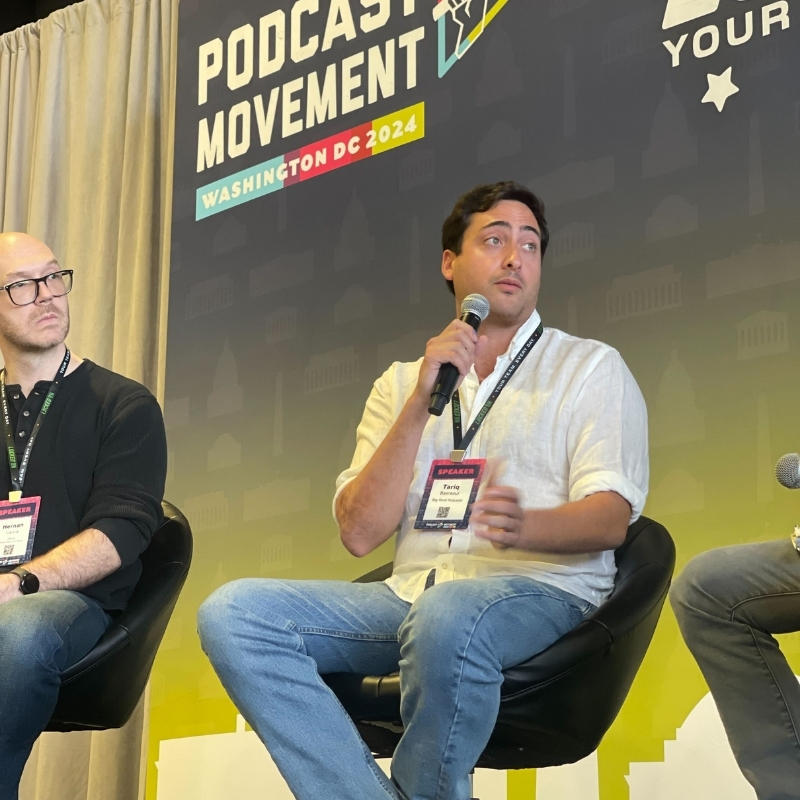
Tariq Basraoui
CEO
Tariq O’Keefe Basraoui, Co-Founder of Big Pond Podcasts, is a seasoned digital marketer and community builder with a track record of success at platforms like TikTok and Zencastr. Known for launching Zencastr’s Creator Network to over 15,000 members in 18 months, his expertise lies in growing user bases and enhancing brand engagement.
His strategic approach to growth and community engagement has established him as a leader in creating some of the fastest-growing media networks in podcasting.
